AI assistants for smart home automation: a beginner’s guide
Smart home automation has become increasingly accessible, and AI assistants are at the core of this transformation. These systems allow users to manage various devices through voice commands or automated routines. For beginners, the variety of options and technical details can seem overwhelming at first. This guide aims to provide a clear overview of how AI assistants can be integrated into everyday home environments, focusing on practical aspects that are relevant for those starting their journey.
The primary function of an AI assistant in a smart home setup is to act as a central control point. It interprets user requests and communicates with compatible devices to execute actions. This can range from adjusting lighting to monitoring security. Understanding the fundamental concepts, such as device compatibility and routine creation, is essential before making any purchases or installations. The following sections will explore these topics in detail, offering guidance on how to approach smart home automation with AI assistants.
Understanding AI Assistants and Their Role in Home Automation
AI assistants are software applications that use natural language processing to understand and respond to user commands. In the context of home automation, they serve as the interface between the user and smart devices. When a user speaks a command, the assistant processes it, determines the intended action, and sends the appropriate signals to the relevant devices. This process involves cloud-based services, which allow for remote access and continuous updates.
There are several popular AI assistants available in the market, each with its own ecosystem and supported devices. Common examples include Amazon’s Alexa, Google Assistant, and Apple’s Siri. These platforms often work with a variety of third-party devices, but compatibility varies. It is important to check the specific assistant’s compatibility list before purchasing any smart home products to ensure they can be integrated seamlessly.
The role of an AI assistant extends beyond simple command execution. It can also enable automation through routines, which are sequences of actions triggered by specific conditions or schedules. This capability allows users to create personalized experiences, such as having lights turn on gradually in the morning or receiving alerts when a camera detects motion. The complexity of these routines can range from basic single-action commands to multi-step scenarios involving multiple devices.
Compatible Devices and How They Connect
Compatible devices for AI assistants include smart bulbs, smart plugs, smart thermostats, and security cameras, among others. These devices typically connect via Wi-Fi, Zigbee, or Bluetooth, depending on the technology they use. For instance, many smart bulbs rely on Wi-Fi direct or a hub, while some thermostats use Zigbee to communicate with a central hub. The AI assistant acts as a bridge, enabling voice control and remote access.
When setting up a smart home, it is crucial to consider the network infrastructure. A stable Wi-Fi connection is often necessary for the assistant to communicate reliably with devices. Some devices may require a dedicated hub, which can add complexity but also extend the range and allow for more advanced automations. Additionally, devices may need to be set up in their respective manufacturer apps before they can be linked to the AI assistant.
Security cameras are a popular category for smart home integration. With an AI assistant, users can view camera feeds on smart displays or televisions and receive alerts when motion is detected. However, the level of integration varies; some cameras may only support basic commands like turning on or off, while others offer voice-activated views of live streams. It’s important to verify the specific capabilities of the camera model to understand what actions can be performed via the assistant.
Setting Up AI Assistants for Smart Home Control
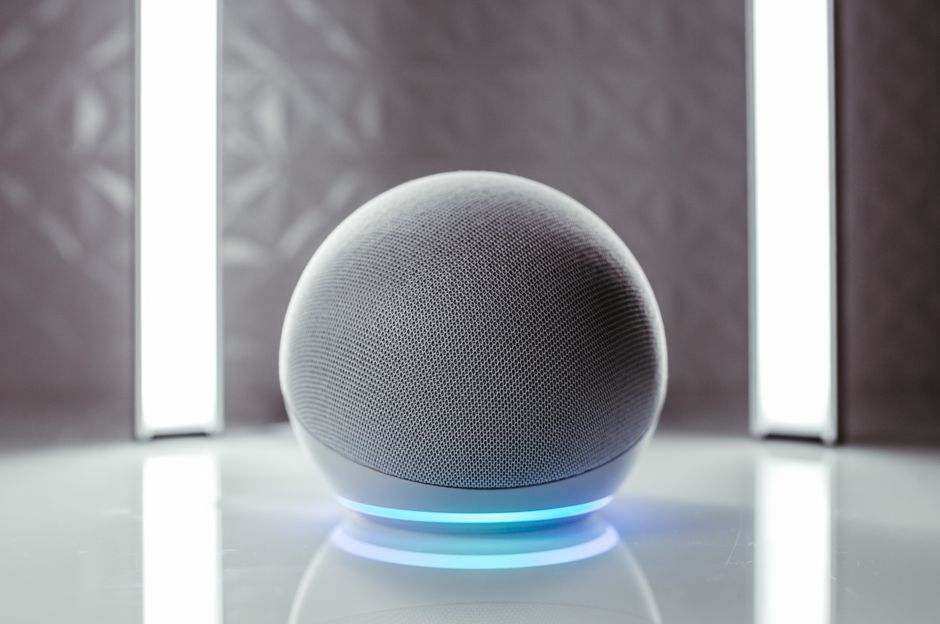
The initial setup of an AI assistant involves choosing the right device, whether it’s a standalone smart speaker or an integrated display. The device needs to be connected to a Wi-Fi network and linked to an account within the assistant’s ecosystem. After that, users can discover compatible devices in their network and enable them for control.
For a seamless experience, it is recommended to organize devices by room and assign clear names to each device. This simplifies voice commands, as users can say, “Turn on the living room lights” instead of referencing a generic device name. Additionally, grouping devices allows for simultaneous control; for example, a “good morning” routine could turn on lights and adjust the thermostat at the same time.
Routines are a key feature that enhances the utility of AI assistants. They can be triggered by voice commands, schedules, or sensor events. For instance, a routine could be set to dim the lights and lock the doors at a specific time each evening. When creating routines, users define the order of actions, which can include device controls, informational queries, and even messaging functions. The process of setting up routines is straightforward and can be done through the assistant’s app or web interface.
Steps to Create a Basic Routine
To illustrate the process, consider a simple routine that turns off all lights when the user says, “Good night.” The steps are as follows:
- Open the assistant’s app and navigate to the routines section.
- Select “Create New Routine” or a similar option.
- Set a trigger, either by voice phrase, schedule, or sensor.
- Add an action, such as controlling a smart plug or light group.
- Review and save the routine.
Once saved, the routine is active and can be triggered by the specified condition. This example shows the basic structure, but more advanced routines can include multiple actions and conditional logic. It is important to test routines to ensure they work as intended, as interactions between devices and network latency can affect performance.
Using AI Assistants for Lighting Control
Lighting control is one of the most common applications of AI assistants in smart homes. Users can adjust brightness, color, and turn lights on or off using voice commands. Many smart bulbs support dimming and color changes, allowing for ambiance customization. With routines, lighting can be automated based on time of day or sensor inputs, such as motion detection.
For example, a routine could be set to gradually increase the brightness in the morning to simulate a sunrise. This can be achieved by scheduling a routine that adjusts the light level in steps over a few minutes. Similarly, occupancy sensors can trigger lights to turn on when someone enters a room and turn off when the room is empty, which can contribute to energy savings.
Compatibility with lighting systems is generally broad, but some brands may require specific hubs or use proprietary communication protocols. It is advisable to check whether the AI assistant supports the chosen lighting brand. Also, consider the type of bulbs (e.g., LED, incandescent) and their compatibility with dimming switches, as not all bulbs are dimmable.
Managing Thermostats and Climate with AI Assistants
Smart thermostats can be integrated with AI assistants to provide voice control and automated temperature adjustments. These devices learn user preferences over time and can be programmed to adjust temperatures based on occupancy and time of day. With an AI assistant, users can simply say, “Set the thermostat to 72 degrees,” or ask about the current temperature.
Routines can also be used to manage climate control. For instance, a “good morning” routine could raise the temperature in winter, while a “leaving home” routine could set it to an energy-saving mode. This integration can contribute to improved comfort and potential energy efficiency, although the actual effects depend on various factors such as insulation and weather conditions.
When selecting a thermostat, it is important to consider its compatibility with the AI assistant and whether it supports the necessary communication protocols. Some thermostats use proprietary apps and may not fully integrate with third-party assistants. Additionally, installation requirements, such as wiring compatibility, should be reviewed to ensure proper functionality.
Integrating Security Cameras with AI Assistants
Security cameras can be integrated with AI assistants to enhance monitoring capabilities. Through voice commands, users can ask to show camera feeds on compatible displays, or receive notifications when motion is detected. Some assistants also support two-way audio, allowing users to communicate through the camera’s speaker.
When setting up camera integration, it is essential to ensure that the camera’s firmware is up to date and that the AI assistant has the necessary permissions to access the camera feed. Some cameras require a specific skill or action to be enabled, while others might integrate directly. The level of integration varies, with some cameras offering limited voice control, such as arming or disarming the system, while others provide full-featured voice commands.
Privacy and security are important considerations when connecting cameras to AI assistants. Users should be aware of data transmission and storage practices, and they should secure their networks with strong passwords and two-factor authentication where possible. The AI assistant’s settings often include controls for managing camera access and revoking permissions if needed.
Conclusion and Practical Considerations
AI assistants offer a convenient way to manage smart home devices, from lighting and climate to security. For beginners, it is wise to start with a small set of compatible devices and gradually expand as familiarity grows. The process of setting up routines and voice commands can be customized to suit individual preferences, making the system adaptable to different lifestyles.
However, it is important to acknowledge that the effectiveness of smart home automation depends on multiple factors, including network reliability, device compatibility, and user engagement. Potential issues may arise from software updates, connectivity problems, or changes in device status. Therefore, it is recommended to maintain a reliable network and regularly check device support and availability.
Smart home automation is not a one-size-fits-all solution. The integration of AI assistants should be approached with realistic expectations, as outcomes vary based on the specific devices and usage patterns.
Ultimately, the goal is to create a system that meets the needs of the household while ensuring ease of use and security. By understanding the fundamentals of AI assistants and their interactions with smart devices, users can make informed decisions that align with their preferences and technical comfort levels.